Best Secure Code Review Tools in 2026: Scanners, AI Reviewers and Your Own Security Rules

Secure code review tools now face more agent-written pull requests than any security team can read, while scanners flag only the vulnerability patterns someone already catalogued. Below, we rank five tools against five criteria a security lead tests before trusting a reviewer, show which rules belong in the scanner and which in the reviewer, and walk through how to enforce security guidelines on pull requests with a locked rule.
TL;DR
- An approval step protects you only when the reviewer is independent. The poisoned LiteLLM 1.107.0 release passed approval on a second developer account (Microsoft’s analysis, October 23, 2026).
- Agent-written security changes get merged. 52.4% of 675 security-related PRs opened by AI agents in open-source projects were merged (study of agent PRs, April 2026).
- Scanners find catalogued patterns; your house rules need a reviewer. Rules like “no customer data in logs” or “every tenant query checks the tenant” only make sense against your code, so a scanner passes the PR that breaks them.
- Qodo is #1 because it is the reviewer that didn’t write the code and applies the security rules your organization owns in every pull request, in every repository, with every finding traceable to its fix.
- Pair a scanner with the reviewer. Static application security testing (SAST) and dependency scanners still own known Common Vulnerabilities and Exposures (CVEs) and catalogued patterns.
What Is the Best Secure Code Review Tool in 2026?
The best secure code review tool catches what scanners can’t, inside every pull request, against rules your organization owns. Five criteria separate a security reviewer from a tool that only matches patterns, and each one is a test a tool can fail.
Five Criteria for a Secure Code Review Tool
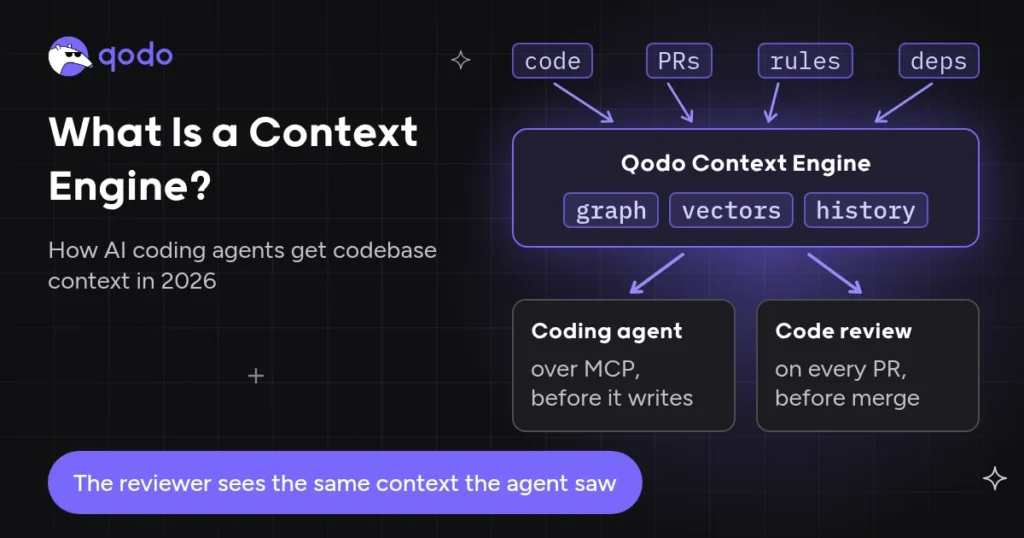
- Context beyond the diff. A missing authorization or tenant check, the usual least-privilege mistake, only looks wrong next to the route, the caller and the data, so the reviewer reads callers, related services and other repositories.
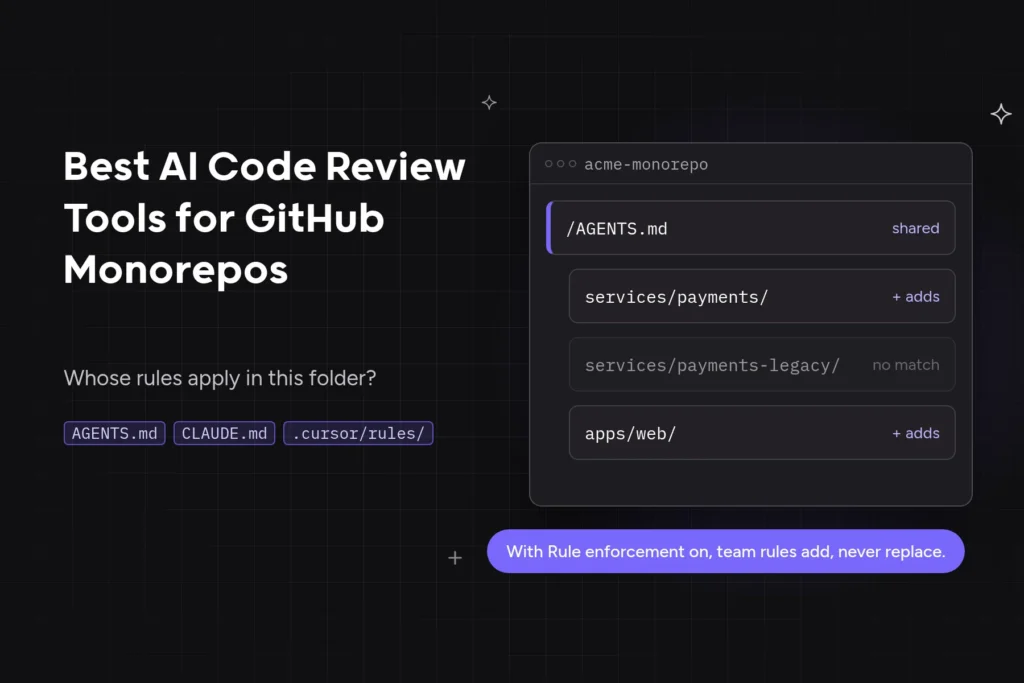
- Security rules your organization owns. Your security team writes each rule in plain language with a category, a severity and a scope, such as “no customer data in logs.” Without one owned rulebook, a security requirement ends up “paraphrased again inside a prompt,” per Qodo’s AI code quality report (2026).
- Rules a PR can’t weaken. Security rules live outside the branch under review, and a rule that rarely fires stays on. A malicious
AGENTS.mdfile in a Downloads folder got a coding agent to install a rogue npm package in 90% of researchers’ tests (BleepingComputer’s report, October 25, 2026). - A decision record on every finding. Each finding ends as a fix or as a dismissal with a recorded reason, while your branch protection decides what merges.
- One view across every repository. Security leads see every finding, its fix rate and what’s unresolved across teams, repositories and Git providers. 26.0% of 300 U.S. engineering leaders name vulnerabilities in AI-generated code as their greatest concern for the next two to three years (Qodo’s AI code quality report, Censuswide survey, August 2026).
The fix for a least-privilege mistake starts with whoever granted the access, as Emilie Schario, VP of Engineering at Anaconda, put it on Qodo’s podcast:
“If an intern dropped your production database, it’s not the intern’s fault. It’s your fault for giving them access to drop the production database.”
Emilie Schario
Qodo Applies Your Security Rules in Every PR, From Outside the Coding Agent
Qodo is the pick because it reviews every pull request from outside the agent that wrote it, against security rules your organization owns and no PR can edit, and traces every finding to a fix or a recorded dismissal. Qodo’s Context Engine reads the whole repository and related repositories, so a missing tenant check is judged against how the rest of the codebase queries customer data.
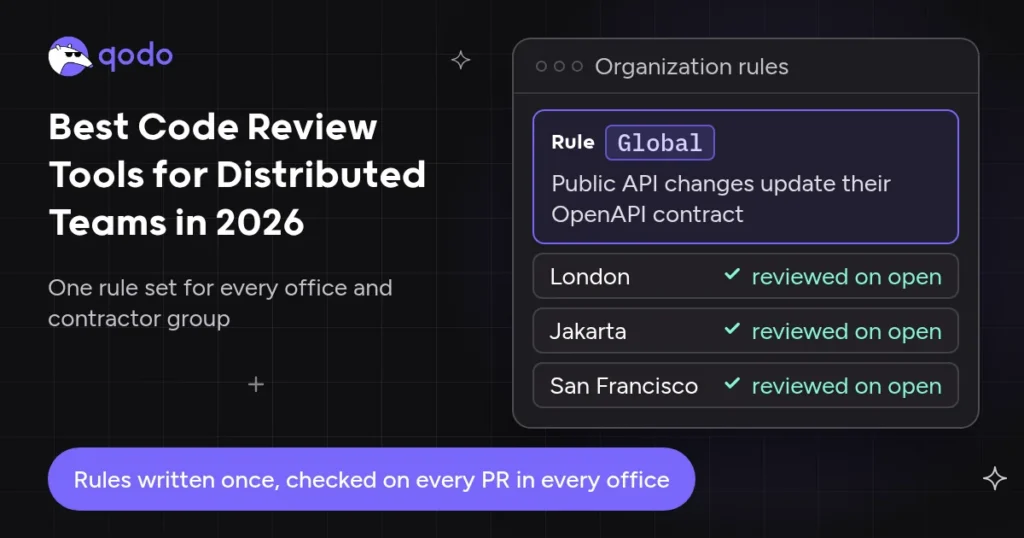
Security and Compliance rules carry a severity and a scope from organization-wide down to one path (Rule enforcement, Beta), and locked rules stay on. With Qodo 3.0, leaders see findings, fix rates and unresolved issues across teams and repositories. Our guide to code review tools for distributed teams shows the same rules holding across offices and time zones.
Independence is the reason a separate reviewer matters: you can’t review code with the same tool that wrote it. Gil Elbaz of Onyx Security made the same point on Qodo’s security podcast:
“You don’t necessarily want those providers to be the ones that are also validating that that service is aligned with an organization.”
Gil Elbaz
The 5 Best Security Code Review Tools in 2026
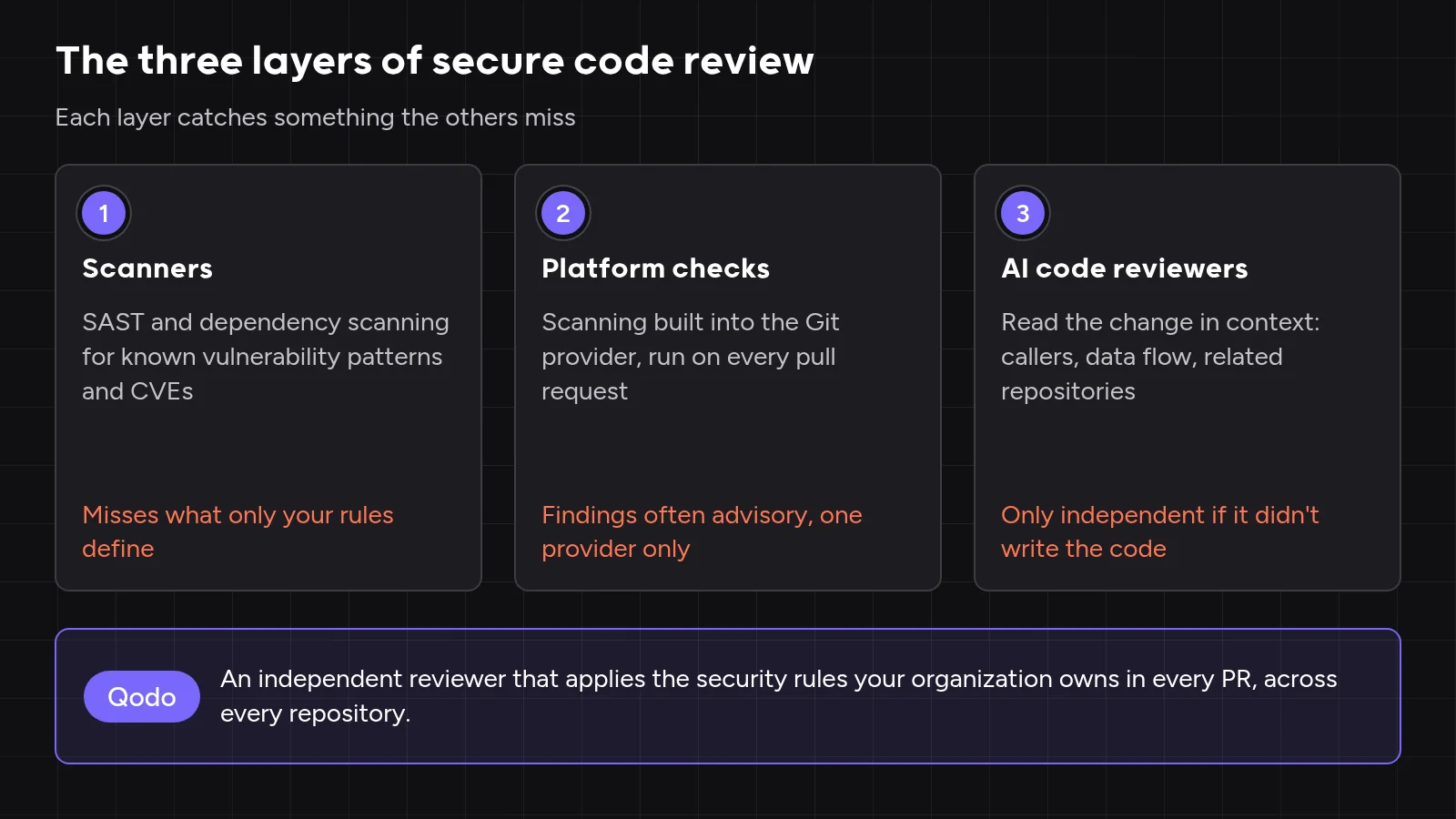
The best tools for detecting security vulnerabilities in AI-generated code pair a SAST scanner for catalogued flaws and CVEs with an independent reviewer for your house rules. Qodo is the reviewer that didn’t write the code, and GitHub code scanning, Snyk Code, Semgrep and SonarQube are the scanners to pair with Qodo.
- Qodo: your organization’s security rules, enforced in every PR by an independent reviewer
- GitHub code scanning with AI Scan: CodeQL dataflow queries and a ruleset merge gate on GitHub pull requests
- Snyk Code: SAST on one platform with dependency, container and infrastructure-as-code scanning
- Semgrep: deterministic rules your security team writes in YAML
- SonarQube: one quality gate for code quality and security on new code
Comparison Table: Secure Code Review Tools at a Glance
| Tool | Category | Best for |
| 1. Qodo | Independent AI reviewer | Leaders enforcing the organization’s own security rules in every PR |
| 2. GitHub code scanning with AI Scan | Platform check (SAST) | Security teams wanting a CodeQL dataflow merge gate on GitHub PRs |
| 3. Snyk Code | Scanner (SAST, with SCA on the same platform) | AppSec teams scanning code, dependencies, containers and IaC in one place |
| 4. Semgrep | Scanner (SAST) | Security engineers who write and roll out their own rules |
| 5. SonarQube | Scanner (quality and security) | One self-hosted quality and security gate, COBOL and ABAP included |
Secure Code Review Tools by Category: Which Layer Owns Each Rule
Give each security rule to the layer that can check it: pattern rules to code security scanners, context rules to AI security code review tools, and the files that steer coding agents to code owners.
| Example rule | Layer that owns it | Why |
| No MD5 or SHA-1 for password hashing | Scanner (SAST) | A code pattern that matches the same way on every run |
| No dependency with a known critical CVE | Dependency scanner (SCA) | Needs a vulnerability database, not the diff |
| No hardcoded secrets | Scanner and reviewer | Secret scanners match known token formats; a reviewer reads the config value that doesn’t match one |
| Every query on a tenant table filters by tenant ID | Reviewer | Needs to know which tables hold tenant data |
| No customer email, PII or PHI in logs | Reviewer | Needs to know which fields hold personal data in your systems |
| Every new endpoint checks the caller’s role | Reviewer | An access bug is a missing line, visible only next to the route and the caller |
Changes to AGENTS.md need security approval |
Code owners in the Git provider | Protects the instructions coding agents follow |
Scanner results stay in the scanner’s dashboard and review findings land on the PR, so overlap shrinks to the rules you run twice, such as secrets. Our Academy covers how enterprises handle AI-generated code across scanners, platform checks and reviewers, and our ranking of agentic code review tools for enterprise teams compares the reviewer layer alone.
How We Evaluated Secure Code Review Tools
Secure code review means reading source code to find the vulnerabilities automated tools often miss, through the application’s logic and data flow, per the OWASP cheat sheet. We built the criteria from questions security teams bring to Qodo and read each vendor’s docs, configuration references and changelogs between October 22 and 26, 2026.
The test scenario: a coding agent opens a PR that adds a /customers/export endpoint, logs each customer’s email address, skips the caller’s tenant check and deletes the line “Never log personal data” from AGENTS.md.
Secure Code Review Tools Scored on Five Criteria
| Tool | Context beyond the diff | Security rules your organization owns | Rules a PR can’t weaken | A decision record on every finding | One view across every repository |
| Qodo | Related repositories | Category, severity, scope | Add-only rule files, admin approval, locking | Advisory, recorded dismissals | Security analytics, Findings page (Beta) |
| GitHub code scanning | CodeQL dataflow across files | CodeQL queries and packs | Rulesets configured outside the branch | Dismissal reasons; AI Scan advisory | Code scanning alerts |
| Snyk Code | Interfile taint analysis | Sanitizers only (Enterprise) | Settings in Snyk, outside the repo | PR check on a severity threshold | Snyk dashboard |
| Semgrep | Cross-file on full scans only | YAML rules, private on paid plans | Policies in the Semgrep platform | Monitor, Comment or Block per rule | Semgrep dashboard |
| SonarQube | Taint analysis for injection | Quality profiles; plugins for new rules | Quality gate on the server | Quality gate on new code (paid editions) | Portfolios (Enterprise) |
My Experience Tracing One Risky PR Through Each Tool’s Rules
I traced the test PR’s three defects through each vendor’s configuration references, changelogs and, for CodeQL, the query source. Rule ownership split the field more than detection did.
The deleted AGENTS.md line. A reviewer that reads instructions from the PR’s head branch never sees the deleted line, so “Never log personal data” stops applying in the very change that breaks the rule. In Qodo, a merged rule file only adds rules; existing rules change in the Rules tab.
The logged email. CodeQL’s shared sensitive-data heuristics leave out email addresses as “too noisy,” so the stock clear-text logging query lets logger.info(c.email) through. A one-pattern Semgrep rule catches the same call on every run, and Qodo flags the call under the existing “Never log personal data” rule.
The missing tenant check. No scanner knows which tables hold tenant data until someone encodes them, and Semgrep’s AI detection for missing tenant checks skips PR scans. Qodo judges the handler against how the rest of the codebase queries customers.
The setting I’d change on day one. Qodo retires rules whose findings are rarely fixed, and a good security rule fires rarely by design, so I’d lock every Security rule before the first review. Dismissal reasons then show which rule to reword.
Secure Code Review Tools Reviewed: One AI Reviewer, One Platform Check and Three SAST Tools
Code security scanning matches catalogued vulnerability patterns the same way on every run, while an AI reviewer reads each change against your rules. GitHub code scanning, Snyk Code, Semgrep and SonarQube each earn a place for a different reason, and our guide to static analysis tools compares more scanners.
1. Qodo Enforces Your Security Rules in Every Pull Request and Traces Each Finding to Its Fix
Tool overview
Qodo is an independent code review layer for what any coding agent writes. Qodo reviews pull requests on GitHub, GitLab, Bitbucket, Azure DevOps and Gerrit, with air-gapped installs for GitHub Enterprise, GitLab Self-Managed, Bitbucket Data Center and Gerrit (deployment matrix).
Main features
- Context across repositories. The Context Engine reasons over repositories, pull requests and rules, and cross-repository review (Beta) flags changes that break a related repository.
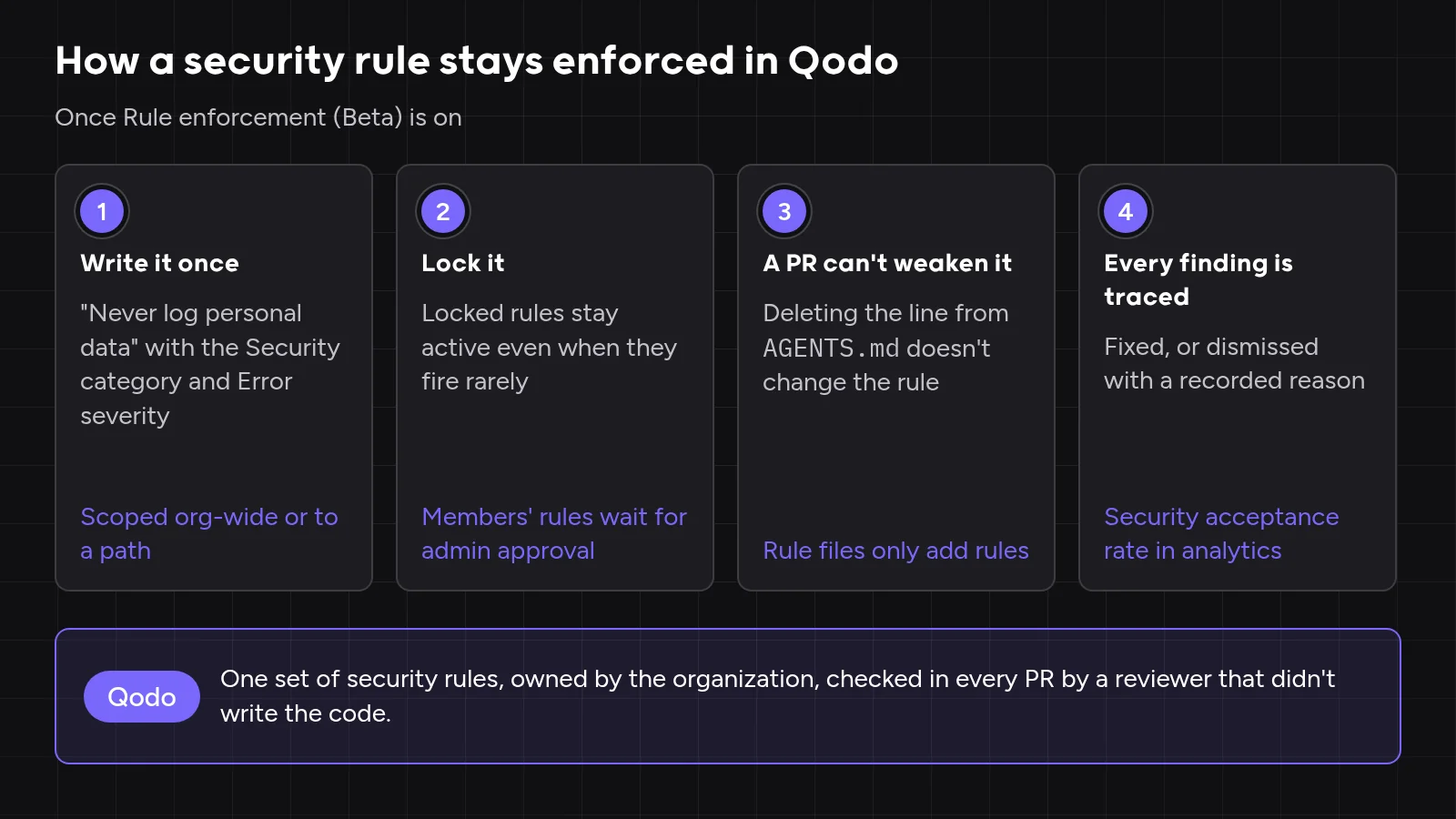
- Security rules you own. Write rules in the portal, import
AGENTS.mdfiles or mine them with Rule Miner (Beta). - Rules a PR can’t weaken. Members’ rules can wait for admin approval, and locked rules stay active.
- A decision record. Authors fix each finding or dismiss it as False positive, Rejected, Deferred or Intentional, and Previous reviews keeps every run.
- A leader view. Admins filter code review analytics by the Security type, covering OWASP and Common Weakness Enumeration (CWE) class issues, across repositories.
- Review before the PR. The Reviewer skill runs the same review on an agent’s local changes.
Best for
Engineering and security leaders who need the organization’s own security rules applied to every pull request, in every repository, with each finding traced to its fix.
How it ranked
Qodo met every criterion, from context beyond the diff to one view across every repository. In the test scenario, deleting the logging line from AGENTS.md changes nothing, the logged email is flagged under the existing rule, and the missing tenant check is read against how the codebase queries customer data.
Qodo’s first security catch at monday.com exposed a gap in manual review, as Liran Brimer, Senior Tech Lead, said in the monday.com case study:
“The security issue Qodo caught early on showed us we had gaps in our manual review process.”
Liran Brimer

What Qodo leaves to other layers
- Dependency CVEs go to your software composition analysis (SCA) tool, which reads a vulnerability database.
- Catalogued patterns such as weak password hashing stay with the scanner, which matches them the same way on every run.
- The hard merge block stays with branch protection, which turns a required check into a gate.
2. GitHub Code Scanning With CodeQL and AI Scan
Tool overview
GitHub code scanning runs CodeQL, which builds a database from your code and queries it to trace untrusted data across functions and files. AI Scan for pull requests, generally available since October 15, 2026, adds AI findings for languages CodeQL doesn’t analyze, per GitHub’s changelog.
Main features
- CodeQL on every PR. Default setup, an advanced-setup workflow or the CodeQL CLI in another CI posts new alerts on the diff, for languages from C and C++ to Rust and Swift.
- AI Scan for the gaps. PHP, Shell, Terraform, Dockerfiles, JSP and Blazor get AI findings with suggested fixes.
- Custom queries. Security engineers write QL queries in CodeQL packs and model in-house frameworks with the model editor, through advanced setup.
- A merge gate outside the branch. A ruleset’s “Require code scanning results” rule blocks a PR on CodeQL alerts at a chosen severity, and Copilot Autofix suggests fixes without a Copilot license.
Best for
Security teams that want deterministic source-to-sink analysis enforced as a merge rule on GitHub pull requests, and security engineers ready to write QL for in-house frameworks.
Where it falls short
- AI Scan can’t gate a merge. AI Scan findings don’t fail the check, can’t be required through rulesets, skip fork and Dependabot PRs and draw on Code Security AI Credits.
- QL takes specialist time. Stock heuristics don’t treat a field named
emailas personal data, so your own definitions mean writing and testing queries. - Private repositories cost extra. GitHub Code Security costs $30 per active committer per month on Team or Enterprise plans (GitHub billing docs, 2026).
How it ranked
CodeQL gives a hard, severity-based merge gate for the flaws it models, such as injection. In the test scenario, stock queries pass the logged email and the missing tenant filter, because neither is a catalogued source-to-sink flow.
3. Snyk Code
Tool overview
Snyk Code is Snyk’s SAST engine, sold on one platform with Snyk Open Source for dependencies and with container and infrastructure-as-code scanning. The engine runs interfile taint analysis with machine-learned sources, sinks and sanitizers, per Snyk’s docs.
Main features
- Results where developers work. Findings appear in the IDE, the CLI, PR checks and the web UI, across more than 15 languages.
- PR checks with a severity threshold. A check fails when a PR adds new issues at or above your threshold, and branch protection turns the failure into a block.
- Rule Extensions on Enterprise. Since July 15, 2026, AppSec teams declare in-house sanitizers for Snyk’s existing rules and preview the impact before saving.
- Snyk Agent Fix. IDE fixes are re-scanned before Snyk shows them, and each fix stays within one file.
Best for
AppSec teams that want first-party code, open-source dependencies, containers and infrastructure as code scanned on one platform, with fixes in the developer’s IDE before the PR.
Where it falls short
- No custom detection rules. Rule Extensions add sanitizers but no new detection, so “never log customer email” has no home in Snyk Code.
- Enterprise gates the controls. Rule Extensions need credit-based Enterprise pricing, while Free caps Snyk Code at 100 tests and Team covers up to 10 developers (Snyk plans page, 2026).
- Self-hosting costs upkeep. Snyk Code Local Engine keeps code on your network but adds engine maintenance.
How it ranked
Snyk Code covers catalogued patterns, and Snyk Open Source covers the dependency CVEs Qodo leaves to an SCA tool. In the test scenario, both house rules need a reviewer.
4. Semgrep
Tool overview
Semgrep matches YAML rules that look like the code they target. The open-source Community Edition analyzes one function at a time, while the commercial Semgrep Code adds cross-function analysis and cross-file dataflow on full scans, per Semgrep’s docs. Code stays in your CI when you run the CLI.
Main features
- Rules that read like code. Metavariables, taint mode and autofix let a security engineer write and test a rule in the codebase’s own syntax, across more than 35 languages.
- Rollout per rule. Policies put each rule in Monitor, Comment or Block mode, Block fails the CI job, and each rule shows its fix rate.
- Semgrep Multimodal. Formerly Semgrep Assistant, Multimodal auto-triages up to 10 new findings per PR scan and adds AI-powered detection (Beta) for IDOR, missing tenant checks and broken authorization.
Best for
Security engineers who want to write, test and version their own deterministic detection rules and roll each one out across many repositories at their own pace.
Where it falls short
- PR scans lose cross-file context. Cross-file analysis doesn’t run on diff-aware PR scans, and large full scans fall back to single-file analysis.
- Absent checks are hard to pattern. A missing tenant filter needs a rule that already knows your tenant tables, and the AI detection is non-deterministic and skips PR scans.
- You own the rulebook. Every custom rule needs tests and upkeep. Semgrep is free for up to 10 contributors, and Semgrep Code costs $30 per contributor per month on Teams (Semgrep pricing page, 2026).
How it ranked
Semgrep gives a security team the most direct control over deterministic rules. In the test scenario, a short rule matching logger.$METHOD(..., $C.email, ...) catches the logged email on every run, while the missing tenant filter needs table-aware rules.
5. SonarQube
Tool overview
SonarQube combines code quality and security analysis in one quality gate. SonarQube Server runs self-managed in Developer, Enterprise and Data Center editions licensed by lines of code, alongside SonarQube Cloud and the free, open-source Community Build, per Sonar’s docs (2026).
Main features
- Quality gates on new code. The default Sonar way gate fails on any new issue, unreviewed new Security Hotspots, coverage below 80% or duplication above 3%, and a failed gate can block the PR.
- Taint analysis for injection. Every Server edition detects injection flaws, and Enterprise adds custom sources, sanitizers and sinks.
- Legacy languages. Developer edition adds C, C++, Swift, ABAP and PL/SQL, and Enterprise adds Apex, COBOL, JCL, PL/I and RPG.
- AI CodeFix. Every Server edition suggests AI fixes, and SonarQube Server 2026.5 is phasing out Security Hotspots.
Best for
Engineering organizations that want one self-hosted pass-fail gate for coverage, duplication, maintainability and security on new code, COBOL and ABAP included.
Where it falls short
- No PR gate in Community Build. Branch and PR analysis start in Developer edition, and custom taint configuration and SCA need Enterprise.
- One gate mixes quality and security. A coverage dip fails Sonar way just as an injection flaw does, so a security lead who wants a security-only signal builds a custom gate.
- New rules mean plugin upkeep. A house rule needs a Java plugin, an XPath rule or imported issues, and Sonar’s docs flag the plugin upkeep as APIs change.
How it ranked
SonarQube gives engineering and security one clear pass-fail merge signal. In the test scenario, taint analysis looks for injection rather than a logged email, so both house rules need a reviewer.
Which SAST Tool to Pair With Qodo
Qodo and a SAST tool split the work: the scanner owns catalogued patterns and CVEs with deterministic results, and Qodo owns your house rules, context across repositories and the decision record on every finding. Pick the scanner by the gap it closes.
| If you need | Pair Qodo with | Why |
| A hard merge gate on dataflow vulnerabilities in GitHub PRs | GitHub code scanning | Rulesets block on CodeQL severity, and AI Scan adds advisory findings for PHP, Terraform and Dockerfiles |
| SAST, dependency, container and IaC scanning from one vendor | Snyk Code | One platform for first-party and open-source risk, with fixes in the IDE |
| Deterministic rules your security team writes and rolls out rule by rule | Semgrep | YAML rules, Monitor, Comment and Block modes, and an open-source engine |
| One self-hosted gate for quality and security, including COBOL or ABAP | SonarQube Server | New-code quality gates and edition-based language coverage |
| Every tool on your own infrastructure | Semgrep CLI, Snyk Code Local Engine or SonarQube Server | Each scanner keeps code on your network, and Qodo runs on-premises or air-gapped |
Two SAST tools on one repository mostly mean two alerts for the same flaw, so run one scanner per codebase unless language coverage leaves a gap.
Hands-On: Enforce Security Guidelines on Pull Requests With Qodo
Enforcing security guidelines on pull requests means one written rulebook, checked on every change, that nobody can quietly loosen. Here’s how I’d configure Qodo for the test scenario’s customer service, and our glossary covers security policy enforcement in depth.
Step 1: Write the security rules next to the code they protect. Rules extracted from an AGENTS.md file are scoped automatically to the folder that holds it.
# services/customers/AGENTS.md
## Security
- Never log personal data: no customer email, phone number or PHI, including a patient's clinic name.
- Every query on a tenant table filters by tenant_id from the caller's session.
- No hardcoded secrets, API keys or tokens.
In the Qodo portal, open Review Standards, click Import rules and skills and select the repository. Give each imported rule the Security category with Error severity.
Step 2: Lock every security rule. Open each rule’s side panel and select Active with the lock icon, or lock them all from the bulk actions bar. Locked rules stay in every review even when their findings are rare.
Step 3: Keep rule changes with admins and code owners. With Auto-approve user suggestions off, members’ rules wait in Pending rules until an admin approves them. Protect the rule file itself in GitHub:
# .github/CODEOWNERS
/services/customers/AGENTS.md    @acme/security
Step 4: Open the test PR. The agent’s handler logs each email and queries without the tenant filter:
// services/customers/export.ts
export async function exportCustomers(req, res) {
  const rows = await db.query("SELECT * FROM customers");
  rows.forEach((c) => logger.info(`exporting ${c.email}`));
  res.json(rows);
}
Qodo flags the logged email and the missing tenant filter as action-required findings, and each finding’s Evidence section links to the rule behind it. The PR’s deletion from AGENTS.md changes nothing, because merged rule files only add rules. Blast radius (Research Preview) labels each PR’s risk on GitHub, GitLab and Azure DevOps, so a security reviewer takes every Large one.
Step 5: Read the outcomes every month. Filter code review analytics by Security, read acceptance rates and dismissal reasons, and reword any rule with many False positive dismissals.
Our code review checklist turns rule writing, locking and monthly review into a per-PR list.
Adding a Hard Merge Gate
People own the merge, and Qodo’s findings are advisory. Teams that want a hard gate pair Qodo’s compliance checks, which add a Possible security concern label to a PR with a security issue, with their own CI rule, as Qodo’s compliance docs explain for workspaces without Review Standards.
# .github/workflows/security-label-gate.yml
name: security-label-gate
on:
  pull_request:
    types: [opened, synchronize, labeled, unlabeled]
jobs:
  gate:
    runs-on: ubuntu-latest
    steps:
      - name: Fail while the security label is present
        if: contains(github.event.pull_request.labels.*.name, 'Possible security concern')
        run: |
          echo "Resolve the security finding before merging."
          exit 1
Make gate a required check in branch protection, and the PR can’t merge until the label is removed. For the agent side, see our guide to securing AI-generated code.
Summary: Pair a Scanner With an Independent Reviewer
Leads building a stack of secure code review tools keep a scanner for CVEs and catalogued patterns and add a reviewer for rules that need context. Qodo applies the organization’s security rules in every PR and gives leaders one view of every finding and its fix. Regulated teams can compare options in our regulated-industries guide.
FAQ: Secure Code Review Tools
How do you enforce security policies in code review?
You enforce security policies in code review with written rules that carry a category, severity and scope, with the critical ones locked. Qodo applies each rule in every PR and records each fix or dismissal for the audit trail.
Which code review tools catch least-privilege and access issues?
The code review tools that catch least-privilege and access issues read the route, the caller and the permissions together, because an access bug is usually a missing check. Qodo flags missing authorization checks as Security findings.
How do you detect vulnerabilities in AI-generated code?
You detect vulnerabilities in AI-generated code with a scanner for catalogued patterns and vulnerable dependencies, plus a reviewer that didn’t write the code. Qodo is that independent reviewer for every agent’s output, and our glossary covers vulnerability detection in depth.
What is the best SAST tool for secure code review?
The best SAST tool for secure code review covers your languages and gates your pull requests: GitHub code scanning for a CodeQL merge gate, Snyk Code for code and dependencies together, Semgrep for rules your team writes and SonarQube for one quality and security gate. No SAST tool knows “every tenant query checks the tenant,” so pair the scanner with Qodo, as our comparison of static analyzers and AI reviewers explains.
Are there free or open-source secure code review tools?
Free secure code review tools cover scanning well: Semgrep Community Edition and SonarQube Community Build are open source, GitHub code scanning with CodeQL is free on public repositories, and Snyk’s Free plan includes 100 Snyk Code tests. Qodo is free for open source projects, and Pro Team starts with a 14-day trial and no credit card (Qodo pricing page, October 2026).
Can code review catch secrets and personal data in a pull request?
Code review catches secrets and personal data in a pull request when a written rule defines them and runs with Error severity on every change. In Qodo, hardcoded secrets are a Security finding type, personally identifiable information (PII) falls under Compliance, and a rule names what counts as PHI in your systems.
Where does our code go when an AI tool reviews it?
Where your code goes depends on the deployment models the vendor supports for your Git provider. Qodo runs multi-tenant, single-tenant, on-premises or air-gapped, and Qodo 3.0 runs reviews on self-hosted models through your own model gateway (Qodo deployment matrix, 2026).
Ethical use of AI
We use AI to proofread and organise our ideas. The substance comes from our team of developers and technical experts: every fact is traced back to its original source, and every example is hand-crafted and tested.
About the author